
Session Public Access: Open Your Sessions to Anyone

Session Public Access: Open Your Sessions to Anyone
Feature Release: 04/14/2026
You can now open your Community sessions to anyone - no login required.
With Session Public Access, it’s easier than ever to host your online meetings, invite guest speakers, and connect with prospective members without putting a sign-up wall in front of them.
Why This Matters
Requiring a Community account created friction for public events and external audiences. Whether you were trying to host a webinar, invite a guest speaker, or showcase your organization to prospective members, that extra step often meant lost attendance.
Session Public Access removes that barrier - turning your sessions into a true channel for outreach, engagement, and growth.
A Seamless Guest Experience
Guests get a simple, frictionless path from registration to attendance:
- Register quickly
Guests enter their name, company, and email — no account creation needed - Receive a secure access link
A personalized magic link is sent to their inbox - Join with one click
When the session starts, they can jump right in — no login required - Stay on track with reminders
Automated emails (3-day and 15-minute) keep them informed

Built-in Controls for Admins
You stay in control of when and where public access is available.
- Enable public attendees at the site level
- Open individual sessions at the global or group level
- Customize restricted content messaging to guide guests toward membership
- Choose what information (like attendee lists or counts) is visible
Easy to Share, Easy to Promote
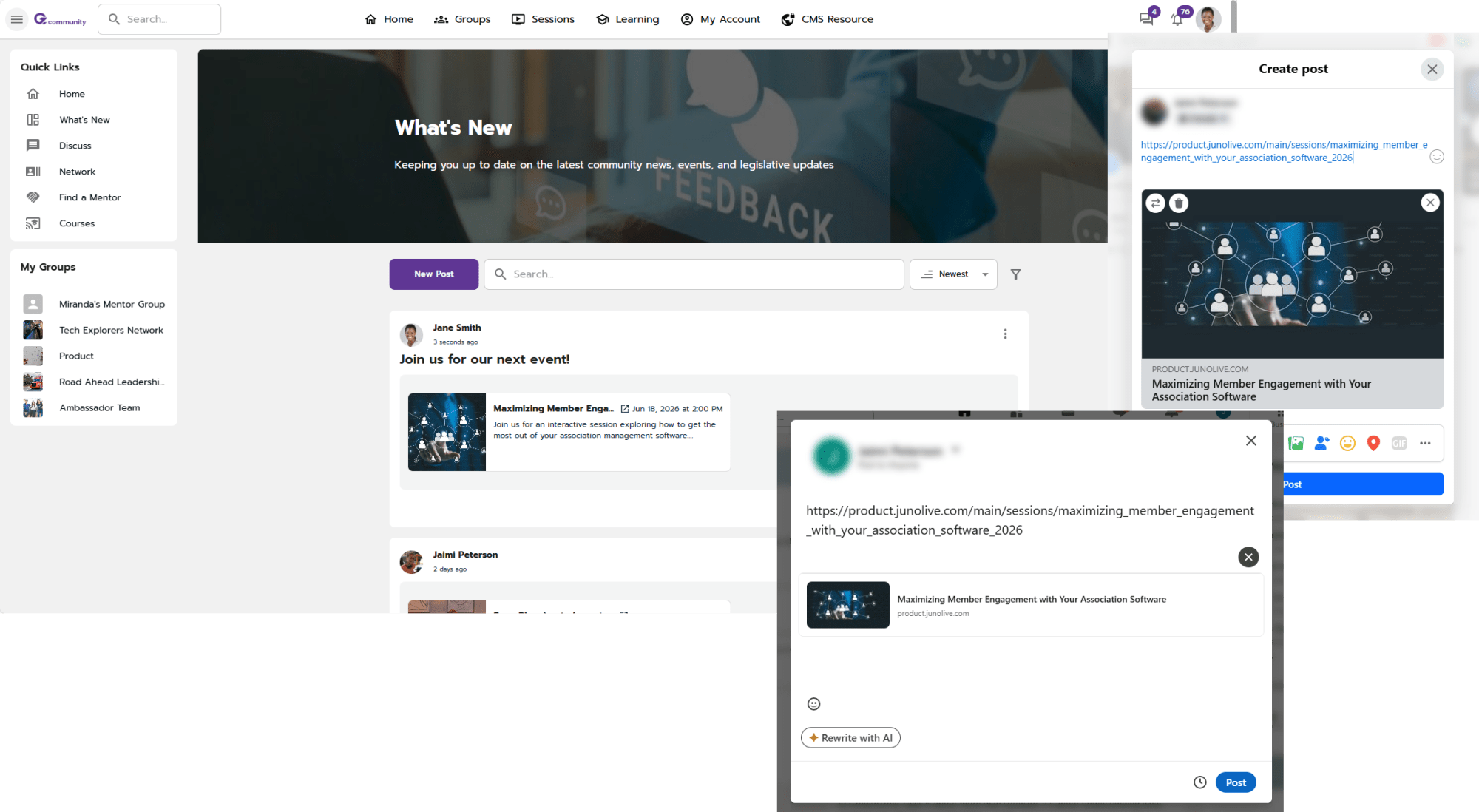
Every session includes a shareable URL with rich preview support, so when you post it within your Community or with platforms like LinkedIn, it looks polished and clickable.
Since there’s no public session calendar, you can promote sessions wherever your audience already is - driving traffic directly to registration.
Where to Find It
To get started:
- Enable public attendees in Permissions (Security & Privacy)
- Open a session and set Session Restriction → Public Attendees
From there, you’re ready to share your session link and start inviting guests.


Open the Door to More Engagement
Session Public Access makes it possible to go beyond your existing membership - helping you reach new audiences, increase attendance, and turn sessions into a powerful growth tool for your organization.